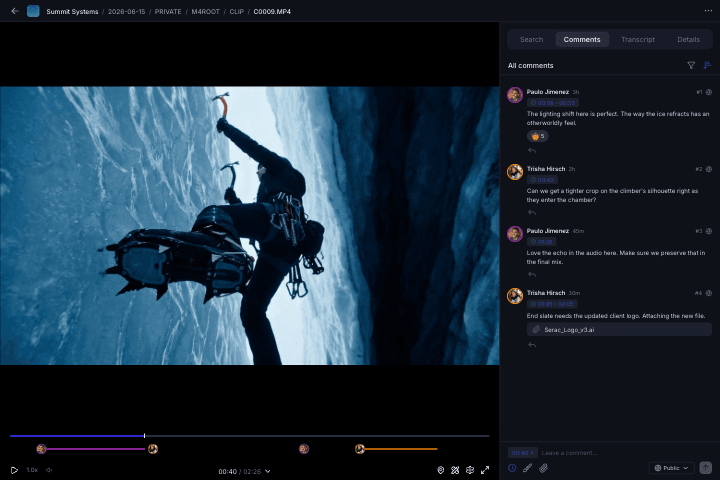
Share and Present
Every file, folder, and collection shared exactly how you want it.
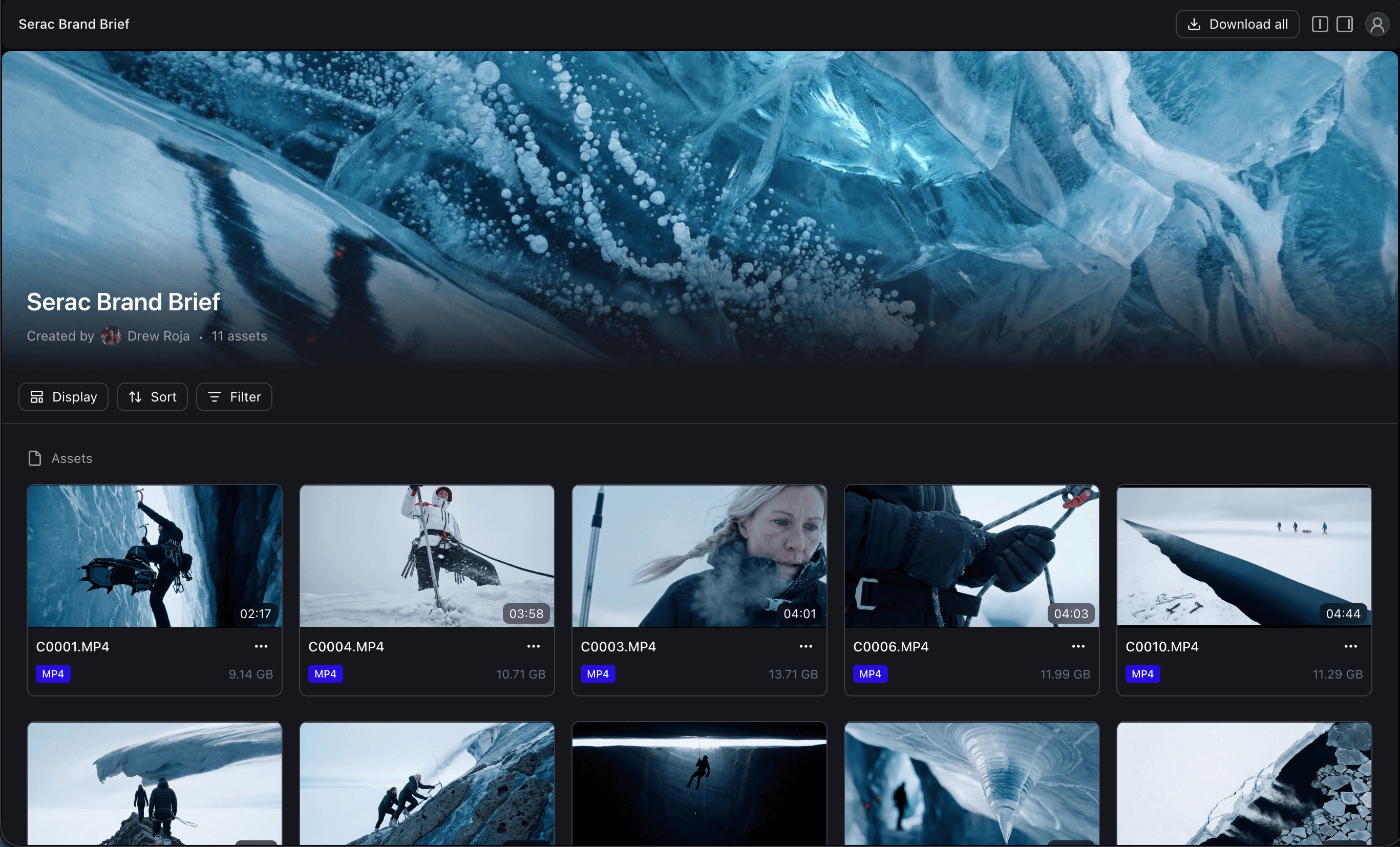
Wrap your files in branded collections that feel intentional without breaking folder structure. With passwords and expiry per link you can be sure the right people see the right assets every time.
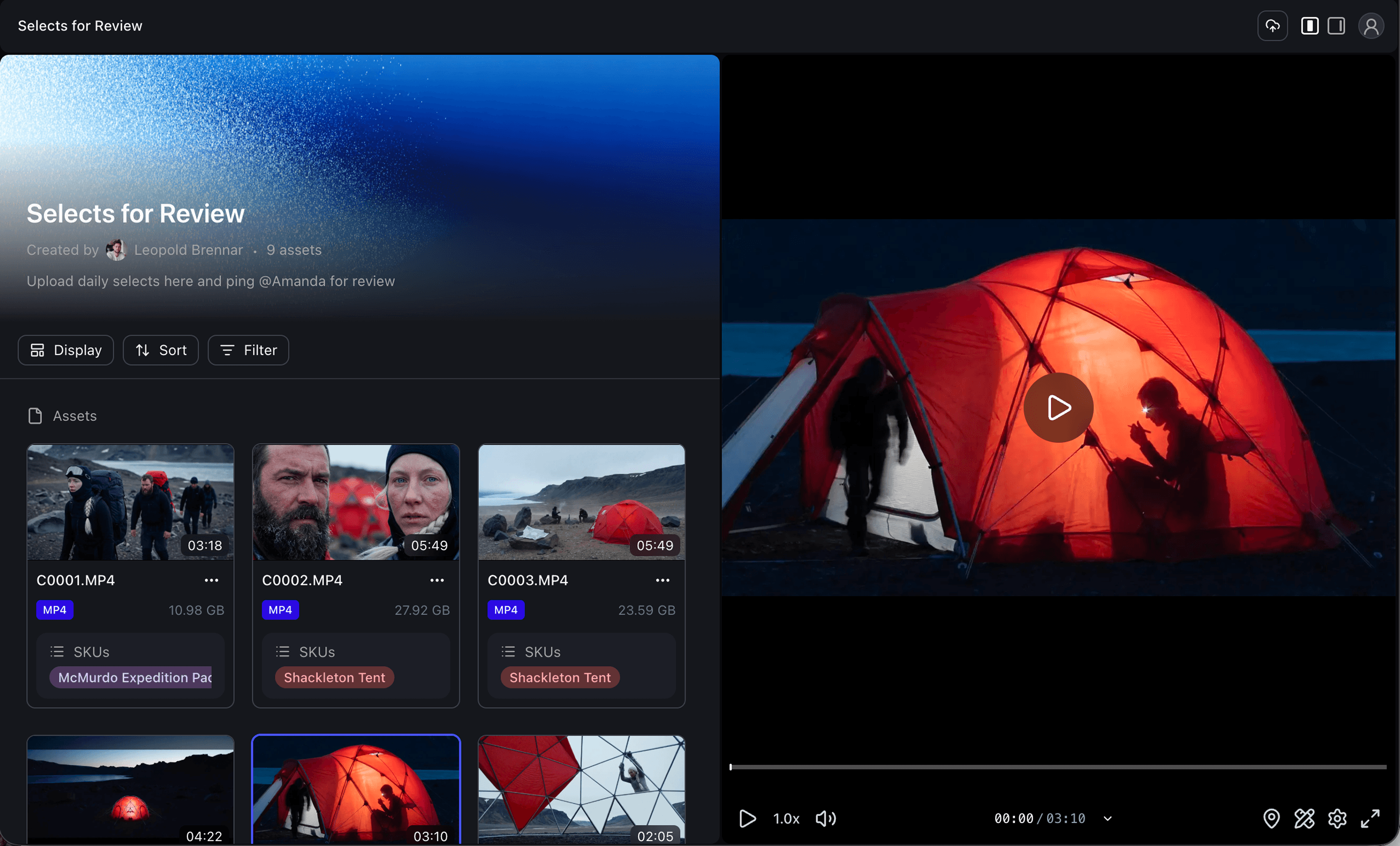
Permissions
Granularity to control a single file, flexibility to manage an entire workspace.
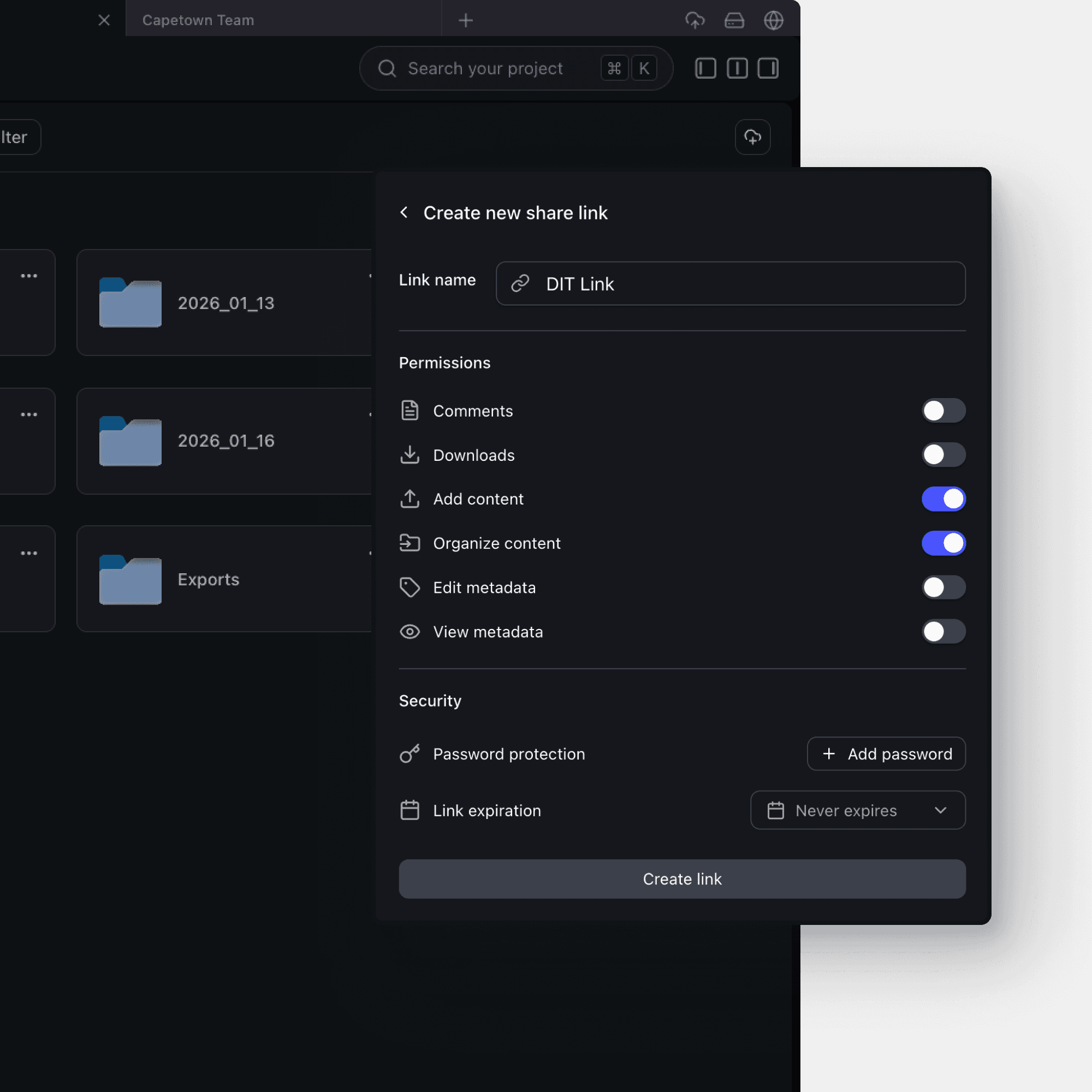
Create multiple share links for the same asset or folder, each with its own permissions, password, and expiry. Keep access for the client, director, and editor separate.
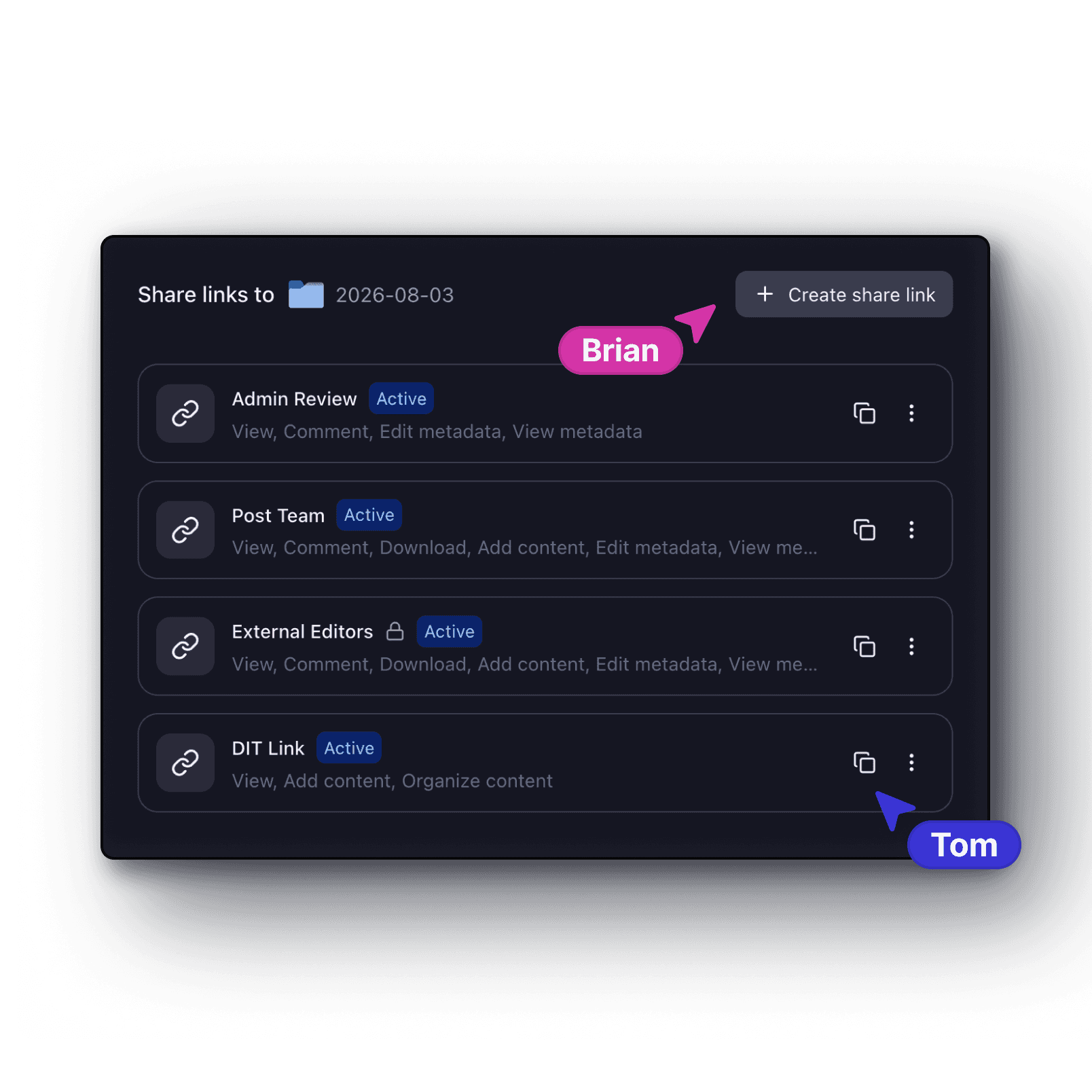
Per-link permissions
Generate as many links as you need for any file, folder, or collection. Each link carries its own permission set — view, comment, download, upload, version access, metadata visibility, and more.
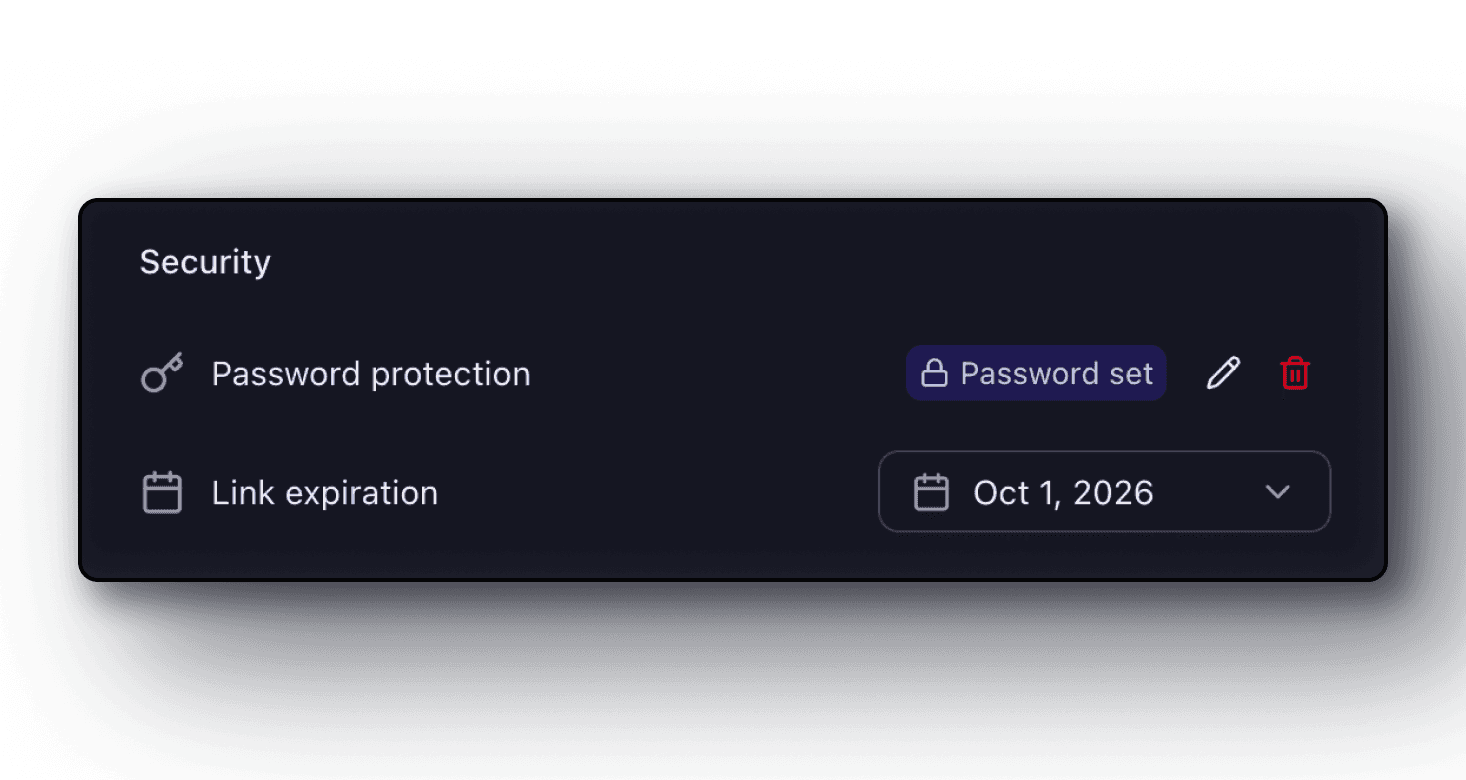
Password and expiry
Protect any link with a passphrase and automatic expiration dates. Revoke access instantly when a project wraps.
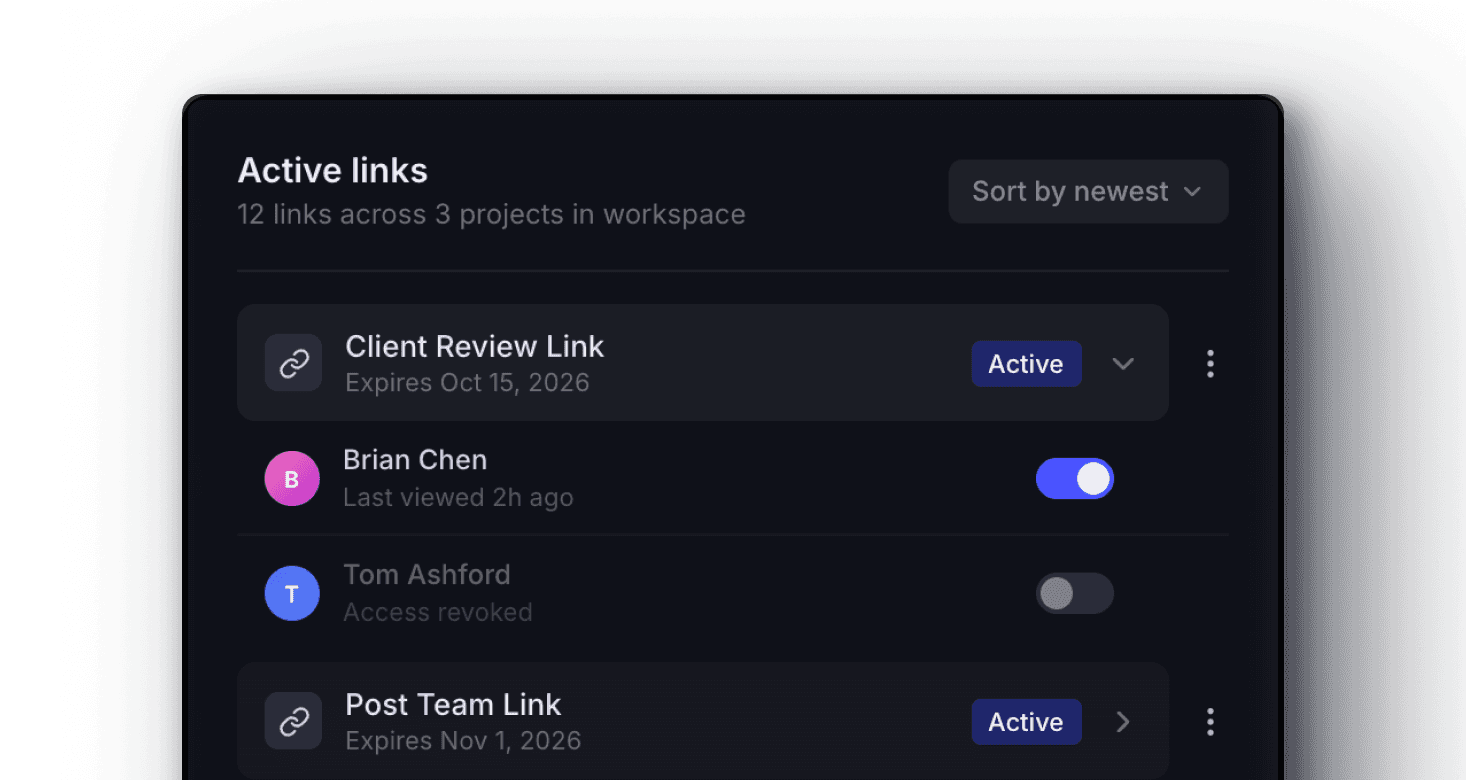
Link management
See every active link for a project in one view. Track access, expiry dates, and revoke access with one click.
Collections
Curate collections from anywhere without touching your folder structure.
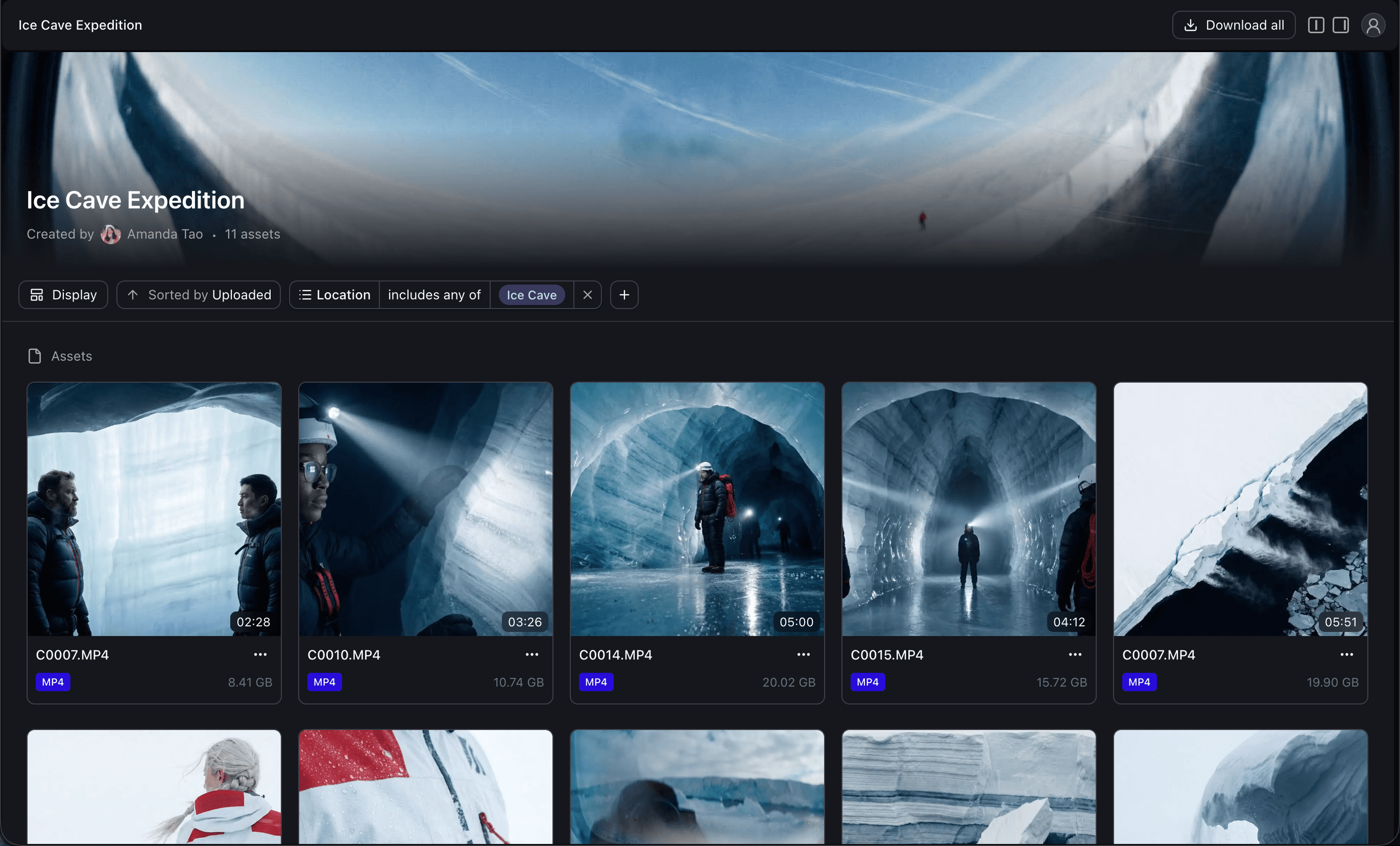
Nobody wants to reorganize their entire project just to share a few clips. Collections let you curate and present work from anywhere — your folders will never know the difference.
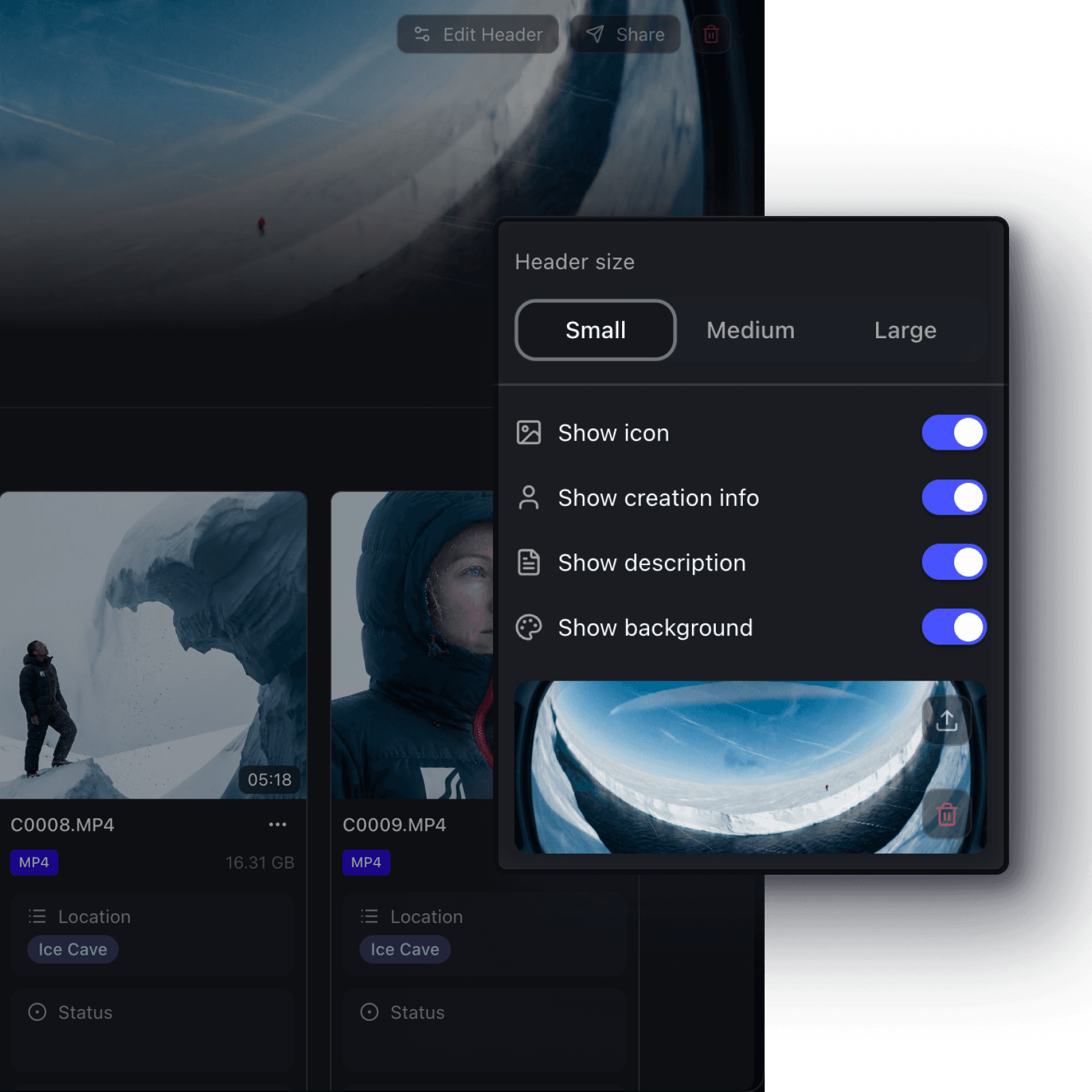
Custom branding
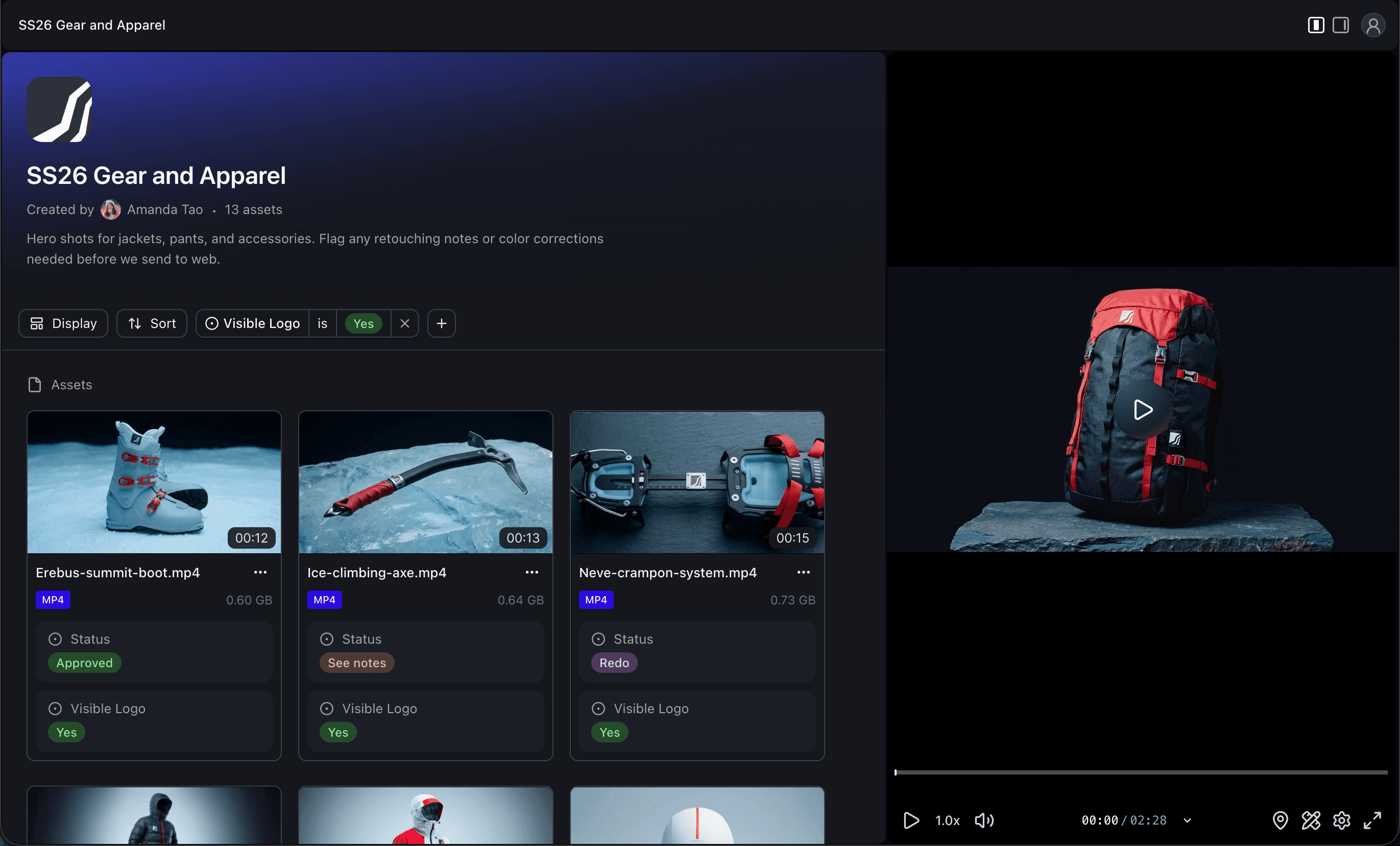
Apply your logo, colors, and style so every shared collection stays on-brand. Present work in gallery or layout and choose the view that best matches how your audience browses deliverables.
Rich metadata
Create metadata on your assets, then choose which fields appear in each shared collection. Surface approval status so reviewers can sign off in one click, or show only the columns your client needs and keep the rest internal.
Version control
Choose exactly which versions of an asset are visible in a shared collection. Show the full revision history, hand-pick specific versions, or lock it to the final cut so recipients never see a rough draft.
Access
Use Aspect anywhere — desktop, browser, or mobile.
Your recipients don't need any special software. Access shared files from any device, on any platform.
Preview any file type
Video, audio, images, PDFs, design files, and even raw camera formats like BRAW and R3D are all previewable.
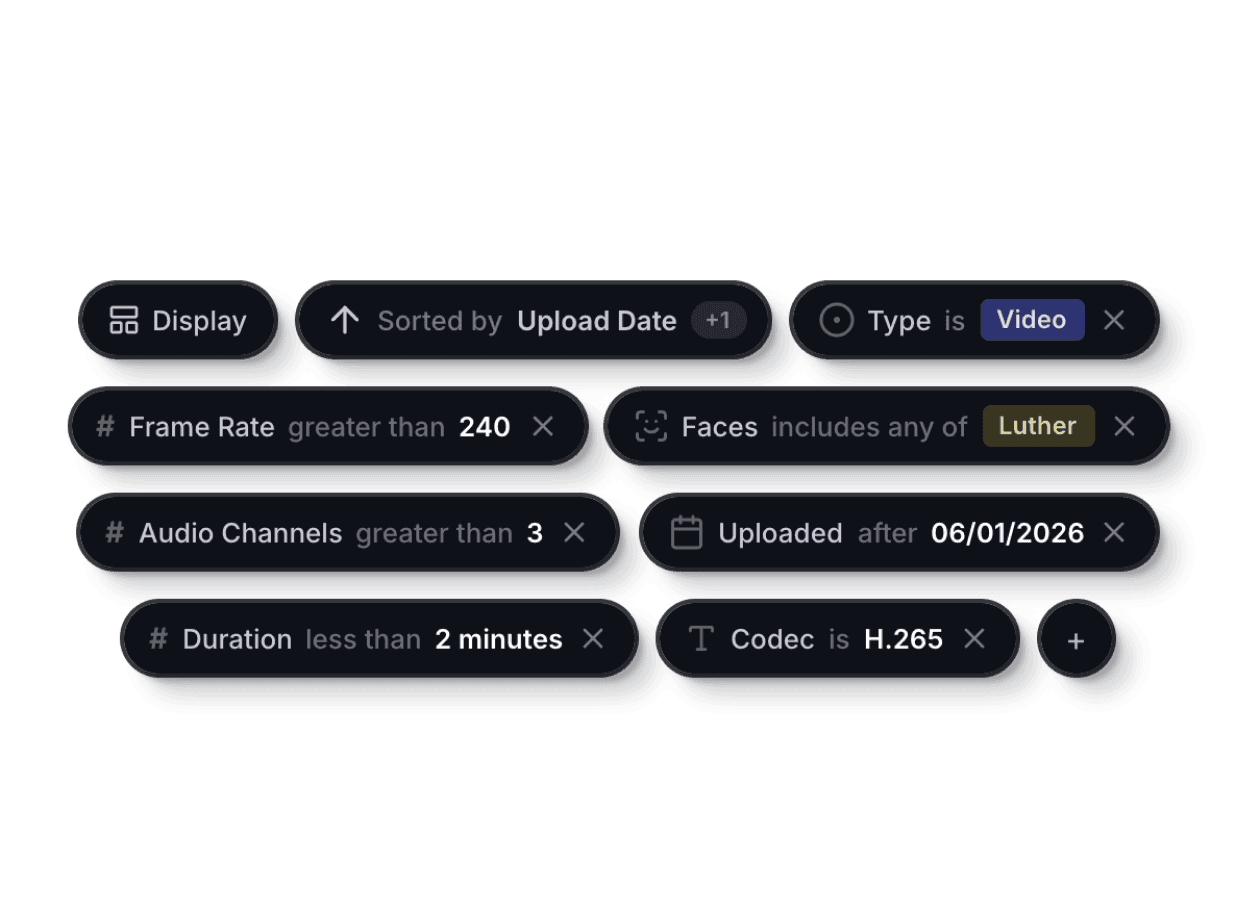
Filter, sort, and find
Stacked filtering and sorting options help teammates find exactly what they need in collections and folders.
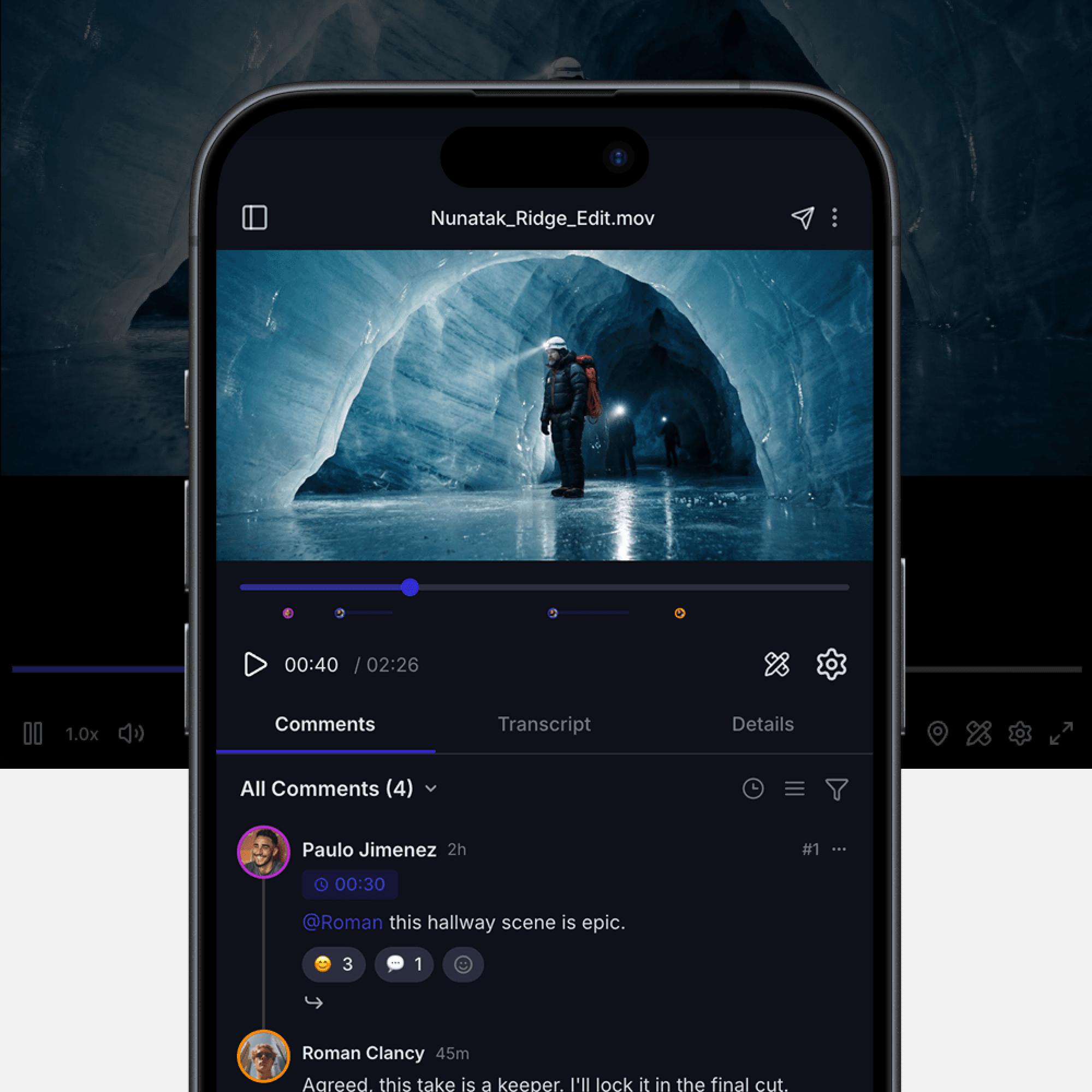
Share from any device
Send share links, leave comments, and approve assets from your phone, tablet, or desktop. No app install needed.
Collaboration
Invite anyone to collaborate with full control over what they see.
Bring in freelancers, clients, or off-site editors without losing sleep over what they can access. You decide exactly which projects and folders they see.
Guest access
Invite external collaborators to a specific project, folder, or even a single file. They see only what you share — nothing more.
Workspace roles
Invite teammates at the workspace level with default or explicit project access. Admin, editor, and viewer roles.
Audit trail
Know exactly who's edited, renamed, or shared your files. Every access is logged with a timestamp and action, so you're never guessing who has been accessing sensitive assets.
Get started